








Getting started with feature flags
Create your first flag
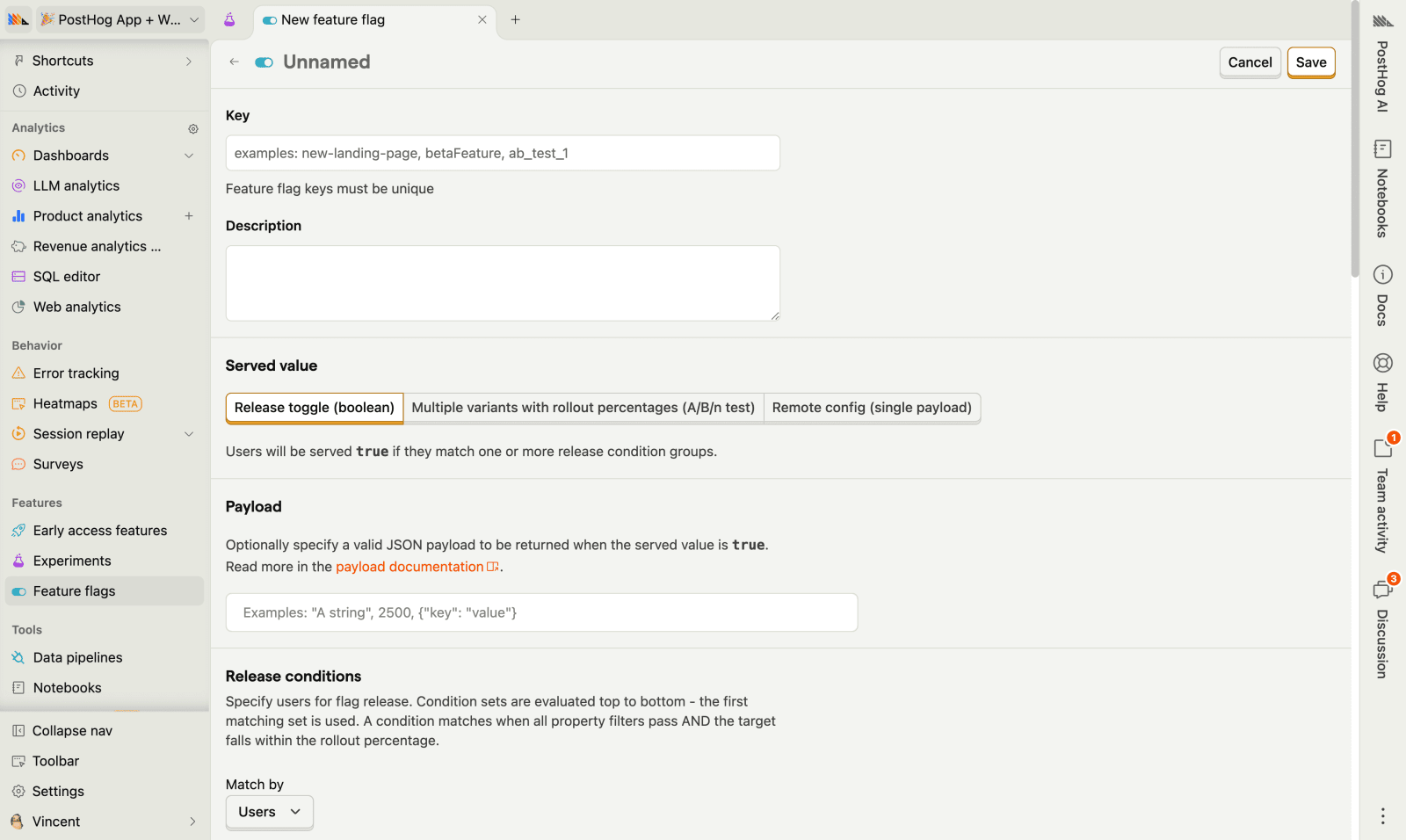
A feature flag lets you toggle a feature on or off without redeploying code. To get started, install the PostHog SDK for your platform and create your first flag in the PostHog UI.
Platforms










New to feature flags? Check the overview page for a primer on use cases like phased rollouts, kill switches, targeting, and remote config.
Add flag code to your app
Once the SDK is installed, create a feature flag in PostHog and then check it in your code. The basic pattern looks like this:
You can also use payloads to send JSON configuration alongside your flags, and multivariate flags to test multiple variants.
Test and roll out
Before going live, test that your flag behaves correctly. PostHog gives you several ways to test and roll out safely:
Override for yourself — Target your email or user ID to see each variant
Phased rollout — Start at 5-10% of users, monitor metrics, then gradually increase
Target by properties — Show features to specific users, cohorts, or groups
Set up dependencies — Make flags depend on other flags for complex rollout strategies

Use with experiments
Feature flags power PostHog's A/B testing and experimentation platform. When you create an experiment, PostHog automatically creates a feature flag to split users into control and test groups, then tracks your goal metric to determine statistical significance.
This means you can:
Run A/B tests on any feature you've flagged
Track conversion, revenue, or custom metrics per variant
Get statistically significant results before rolling out to everyone
Use holdout groups to measure long-term impact
Use for free
PostHog's feature flags are built to be cost-effective, with a generous free tier and transparent usage-based pricing. Since we don't charge per seat, most companies use PostHog for free.
TL;DR
- No credit card required to start
- First 1M API requests per month are free
- Above 1M we have usage-based pricing with volume discounts
- Set billing limits to avoid surprise charges
- See our pricing page for details
That's it! You're ready to start flagging features.